
The Hidden IT Work Behind Opening a New UAE Branch
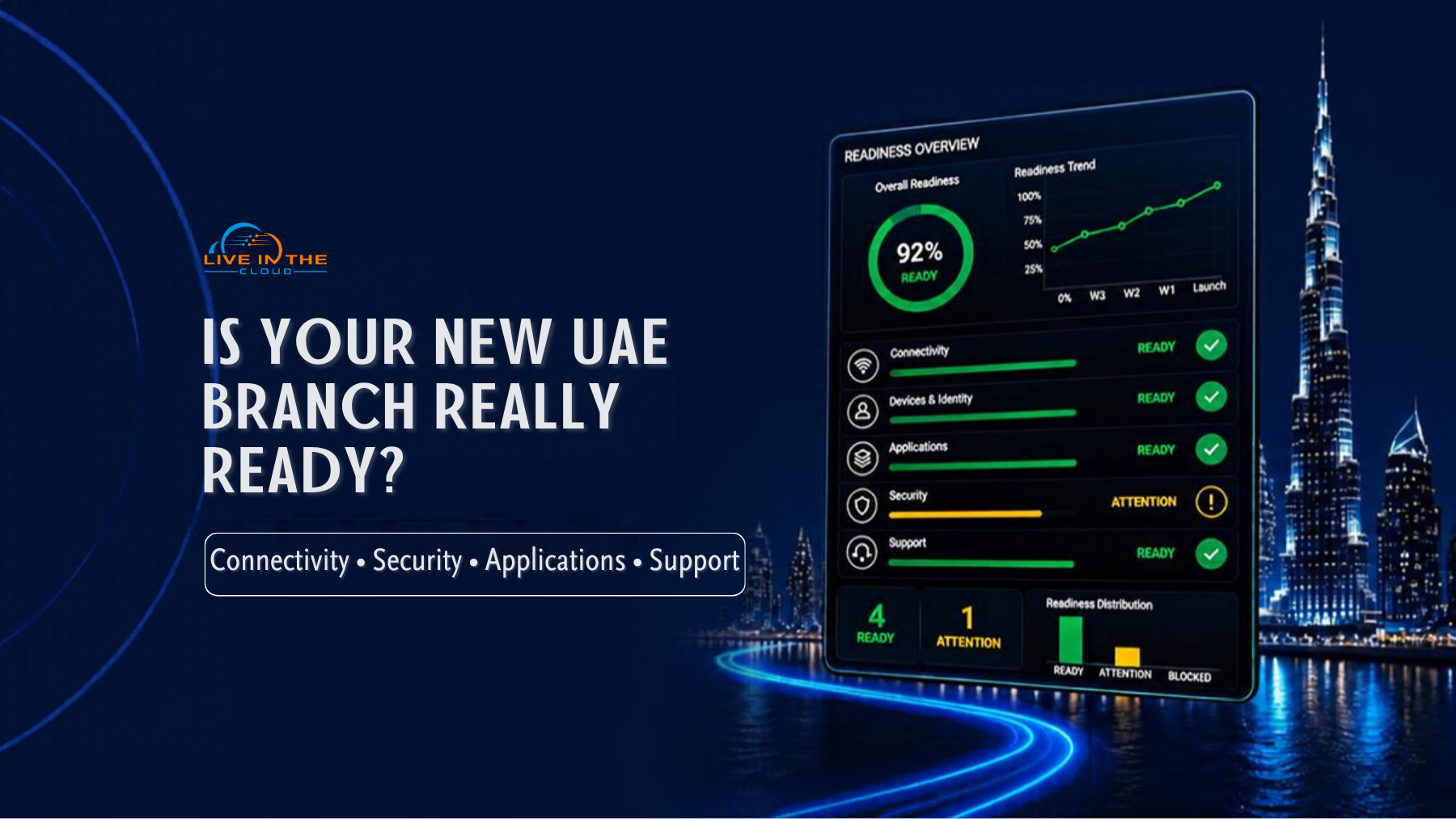
Opening a new branch can appear to be a straightforward facilities project. The lease is signed, the fit-out is progressing, furniture has been ordered and the opening date is approaching.
Technology is often where the timetable becomes less certain.
The internet service may not have a confirmed activation date. Wi-Fi may have been planned without considering the expected number of users and devices. Laptops may be on order, while accounts, security policies and application permissions remain unresolved. Several suppliers may be involved, but no one has responsibility for confirming that the complete environment works.
A successful new office IT setup in the UAE requires more than equipment and connectivity. The branch must be planned, secured, tested and supported as one operating environment.
Key Takeaways
- Technology planning should begin alongside the property, facilities and operational workstreams.
- Connectivity, devices, identities, applications and security are connected dependencies, not separate purchases.
- Internet-service requirements should be confirmed early because availability and provisioning depend on the provider, building, location and service type.
- Hardware is not operational until it has been configured, secured and connected to the services employees need.
- Testing should cover complete business processes, not only individual systems.
- Multiple suppliers require one implementation plan and clearly defined accountability.
- Ongoing support should be agreed before the branch becomes operational.
Table of Contents
Start With the Operating Model
Technology decisions should follow the way the branch will operate. Before selecting devices or network equipment, the organisation should establish:
- How many employees will use the location
- Which business functions will operate there
- Which applications and information employees require
- Whether customers, guests or contractors need network access
- Whether the branch will process payments or sensitive information
- Which services must remain available throughout the working day
- How employees will communicate with customers and other locations
- Who will support the branch after opening
The answers will differ by organisation. A professional-services office may depend mainly on cloud applications, collaboration and business telephony. A retail, healthcare, hospitality or logistics location may also require payment systems, guest connectivity, specialist devices or operational platforms.
The aim is not to reproduce the technology used at another location without review. It is to determine what this branch needs to operate reliably and how it should connect to the wider business.
The Main Technology Dependencies
| Connectivity | Provider availability, installation requirements, capacity and backup options | Cloud systems, communications and customer services may be unavailable |
| Network and Wi-Fi | Coverage, capacity, switching, security and guest access | Users may experience poor performance or unreliable access |
| Devices and identities | Configuration, accounts, software, security policies and permissions | Equipment may be present while employees remain unable to work |
| Business applications | Access, roles, integrations, printers and connected systems | Employees may open an application but fail to complete the process |
| Cybersecurity | Firewall, endpoint protection, authentication, updates and remote access | The branch may create an unmanaged security gap |
| Communications | Telephony, reception, collaboration and meeting-room requirements | Customer and inter-branch communication may be disrupted |
| Support | Incident ownership, supplier escalation, maintenance and onboarding | Problems may take longer to resolve because responsibility is unclear |
Plan Connectivity Before It Becomes a Constraint
Connectivity supports much of the branch environment, including Microsoft 365, cloud applications, communications, payments and remote support.
Service availability and installation requirements should be confirmed during planning rather than assumed. Where a connectivity failure would prevent the branch from operating, management should assess whether backup connectivity is justified and what level of continuity the business requires.
Business Wi-Fi needs a similar assessment. Coverage is only one factor. The network must also provide sufficient capacity for employees, guests, laptops, phones, printers, meeting-room equipment and operational devices.
The design should take account of:
- User and device numbers
- Office layout and construction
- Voice and video traffic
- Guest-access requirements
- Meeting and collaboration areas
- Security policies
- Switching, cabling and power
- Expected growth
For organisations with multiple locations, common technical and security standards can simplify management. Each site should still be assessed for local operational and physical requirements.
Hardware Delivery Is Not Operational Readiness
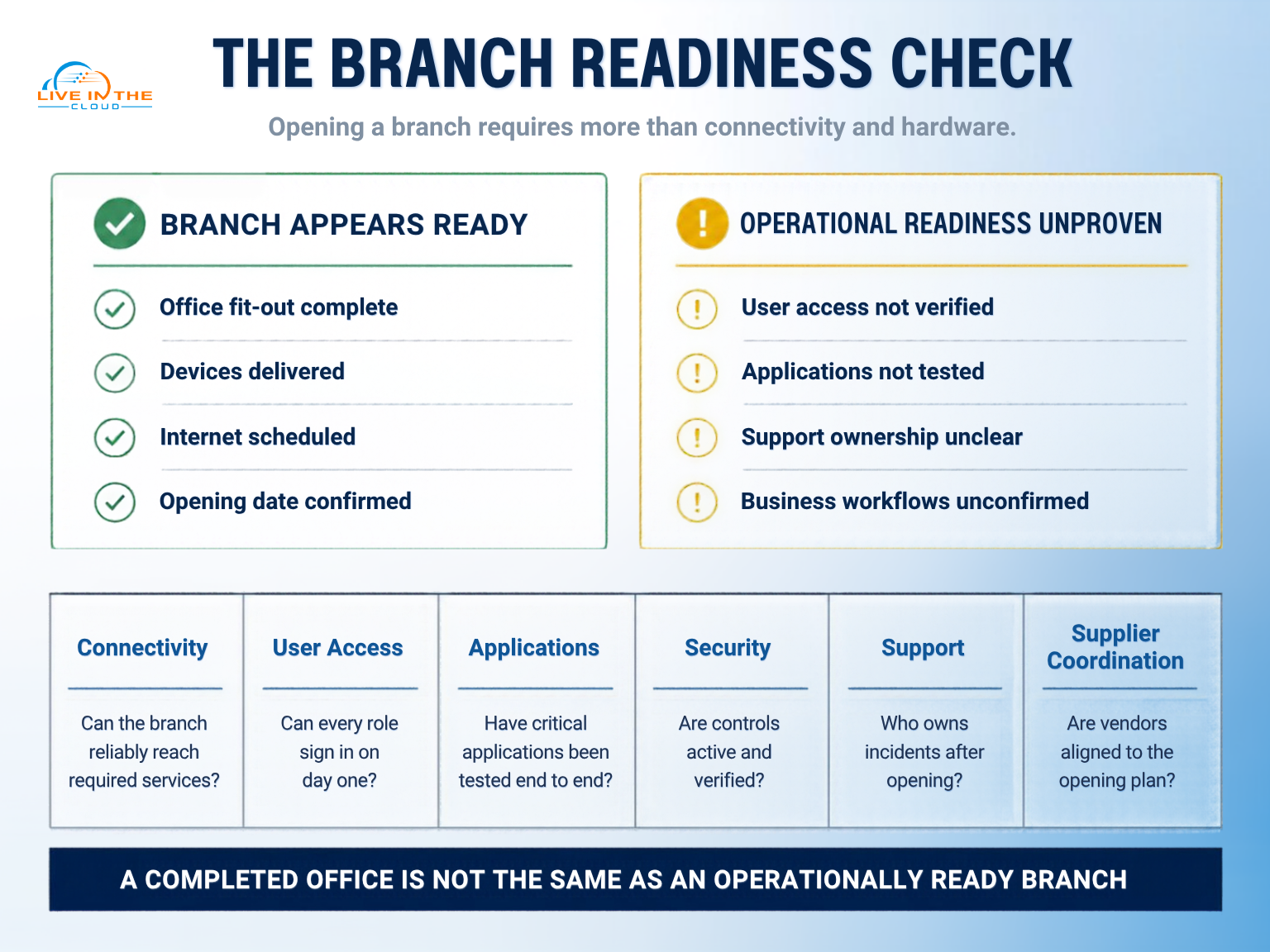
Receiving laptops and other workplace equipment does not mean employees are ready to work. Devices may need to be configured, updated, secured and assigned before deployment. Users also require working identities, Microsoft 365 access, application permissions and a defined route for support.
The same principle applies to printers, phones, meeting-room systems and specialist equipment. Each component must work within the wider environment rather than being validated in isolation.
A common problem occurs when an application is technically accessible but the business process remains incomplete. An employee may sign into a finance or sales platform but lack the permission, integration, payment connection or printer required to complete a transaction.
Can employees complete the work expected of them from beginning to end?
Keep Security Consistent Across Locations
A smaller branch should not automatically become an exception to the organisation’s security model.
Depending on the environment, the branch may require secure Wi-Fi, firewall protection, multi-factor authentication, endpoint security, controlled remote access, software updates and separate guest connectivity.
The appropriate controls should reflect the applications used, the information handled and the effect of unauthorised access or disruption. Controls should also be proportionate. The objective is to maintain consistency and visibility without introducing unnecessary complexity.
This is particularly important for employees who move between locations. Access policies, device standards and support procedures should remain clear regardless of where the user is working.
Coordination Matters More Than the Number of Suppliers
A branch opening may involve an internet provider, cabling contractor, hardware supplier, software vendors, building management, internal IT and an external support provider.
Using several suppliers is not necessarily a problem. The risk arises when their responsibilities, dependencies and acceptance criteria are unclear.
For example, an application provider may identify a network issue. The network contractor may refer the matter to the connectivity provider. The provider may confirm that its service is active. Each supplier may be correct within its own scope, while the branch remains unable to complete the required business process.
A coordinated implementation plan should identify:
- Dependencies and target dates
- Ownership of each workstream
- Testing and acceptance criteria
- Supplier escalation routes
- Documentation requirements
- Handover responsibilities
- Ownership after opening
The organisation may coordinate this internally or assign responsibility to an external technology partner. The important point is that one party has visibility across the complete environment and authority to manage dependencies.
What Should Be Tested Before Opening?
Testing should take place before employees and customers depend on the branch.
Connectivity and workplace
- Primary connectivity is active.
- Backup connectivity has been tested where included.
- Wi-Fi coverage and capacity have been checked.
- Devices are configured and assigned.
- Printers, phones and meeting-room systems are working.
Users and applications
- Microsoft 365 accounts are active.
- Application permissions reflect employee roles.
- Required information is accessible.
- Integrations and connected equipment work.
- Representative business processes have been completed.
Security and support
- Firewall and endpoint controls are active.
- Multi-factor authentication is enabled where required.
- Guest access is separated from internal access.
- Backup and recovery responsibilities are documented.
- Employees know how to request support.
- Supplier escalation contacts are available.
Testing entire workflows provides a more reliable measure of readiness than confirming that individual systems have been installed.
Define the Support Model Before Day One
Opening the branch completes the implementation project, but it begins the operational support requirement. Before handover, management should decide who will:
- Receive and record support requests
- Manage user accounts and devices
- Coordinate third-party suppliers
- Onboard and offboard employees
- Apply updates and complete maintenance
- Review recurring incidents
- Report material issues to management
For multi-location organisations, common support and documentation standards can prevent each branch from developing separate suppliers, procedures and workarounds.
The support model can be internal, outsourced or shared. The appropriate arrangement depends on internal capacity, operating hours, system criticality and the level of specialist knowledge required.
A Consultative Approach to Branch Technology Planning
A branch technology project should begin with an assessment of the location’s users, workflows, applications, security requirements and operational dependencies.
This assessment can help management distinguish between essential opening requirements, items that can be introduced later and technology that offers little value for the location. It can also clarify which responsibilities should remain internal and where external expertise or coordination may be appropriate.
Live in the Cloud ME approaches branch planning as a business and operational exercise before it becomes a technology deployment. On second reference, LITC can work with internal stakeholders to assess the proposed environment, identify dependencies, review design options and define responsibilities across implementation and ongoing support.
Recommendations should remain proportionate to the branch. Not every location needs the same connectivity, security, communications or support model. The appropriate design depends on the business impact of disruption, the existing technology environment, internal capabilities and expected growth.
Practical Recommendations:
- Include technology in the initial branch programme.
- Document user numbers, roles, applications and critical workflows.
- Confirm connectivity requirements directly with the relevant provider.
- Identify dependencies involving the building, facilities team and suppliers.
- Define minimum security and technology standards across locations.
- Configure devices and accounts before they are issued to employees.
- Test complete business processes before opening.
- Document support ownership and escalation routes.
- Review the branch after opening to identify recurring issues and capacity gaps.
Conclusion
A branch can look complete while remaining operationally unprepared.
The hidden work behind a new office IT setup in the UAE is the coordination between connectivity, devices, identities, applications, security, suppliers and support. Treating these areas as one environment allows management to identify dependencies earlier and make more informed decisions about cost, risk and responsibility.
The clearest measure of readiness is whether employees can work, customers can be served, information remains protected and ownership is understood from the first day.
Planning a new UAE branch or reviewing your branch readiness approach?
Frequently Asked Questions (FAQ)
When should IT planning begin for a new UAE branch?
Planning should begin once the location, operating model and target opening date are sufficiently defined. This provides time to address connectivity, procurement, building access, configuration and supplier dependencies.
What technology is normally required for a new office?
Typical requirements include connectivity, networking, business Wi-Fi, workplace devices, Microsoft 365, business applications, communications, security, backup and support. The final scope should reflect how the branch will operate.
Why should internet and business Wi-Fi be planned early?
Cloud applications, communications and remote support may depend on connectivity. Wi-Fi design also depends on office layout, user numbers, connected devices and guest-access requirements.
How can a business maintain consistency across several locations?
The organisation can establish common standards for devices, identities, security controls, application access, documentation and support. These standards can then be adapted where a location has valid operational requirements.
What should be tested before the branch opens?
Testing should cover connectivity, Wi-Fi, devices, accounts, applications, communications, printing, security, backup and support escalation. Employees should also complete representative business processes from start to finish.