
FortiGate’s Approach to Next-Generation Firewall Security
A modern business network rarely sits behind one clearly defined perimeter. An organisation may have its head office in Dubai, branches across the Gulf, employees working remotely and important applications distributed across SaaS platforms, public cloud services and local infrastructure. Suppliers and contractors may also require controlled access to specific systems.
That changes what businesses need from a firewall. Blocking or permitting a connection remains important, but IT teams also need to understand which application is generating the traffic, who is accessing it and whether an apparently legitimate session contains suspicious activity. Policies must remain consistent across locations without creating unnecessary delays for the applications employees and customers rely on.
A traditional firewall mainly controls traffic using IP addresses, ports, protocols and predefined rules. A next-generation firewall adds application, user and content context, together with capabilities such as intrusion prevention and deeper traffic inspection. This becomes especially relevant when different applications use common ports or when important traffic is encrypted.
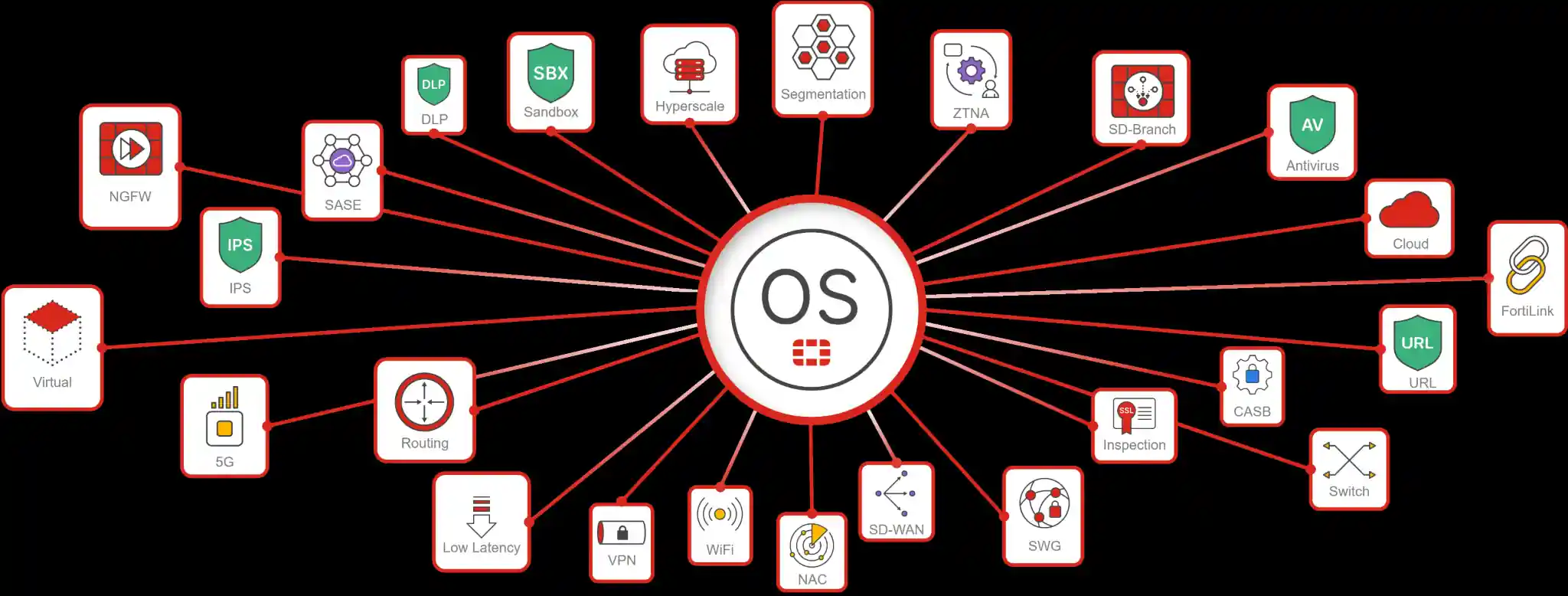
FortiGate Next-Generation Firewalls run on FortiOS and bring network security and secure connectivity into a common platform. Depending on the model, deployment, subscriptions and configuration, FortiGate can support application visibility, intrusion prevention, Secure SD-WAN and Zero Trust Network Access. Broader centralised administration, analytics and security-operations requirements may involve additional products such as FortiManager and FortiAnalyzer.
Table of Contents
FortiGate and FortiOS: One Foundation for Networking and Security
FortiGate is a broad family of next-generation firewalls designed for different network sizes, traffic profiles and deployment environments. Physical appliances, virtual machines and cloud deployments should be evaluated as separate options rather than treated as interchangeable versions of one purchase.
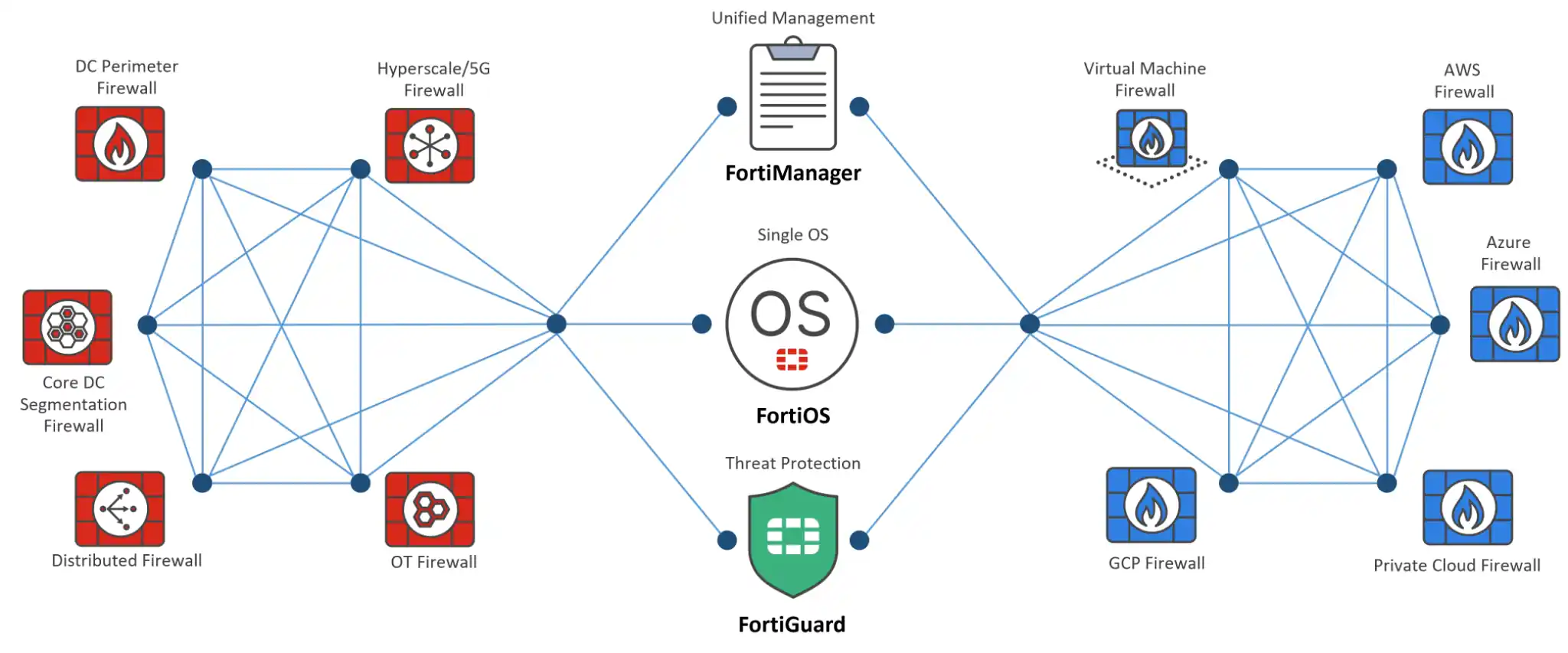
FortiOS provides the operating foundation. Fortinet positions FortiOS as a converged networking and security framework that supports common policy enforcement and visibility across on-premises, multi-cloud, hybrid and distributed environments. Its current positioning also extends across the wider Fortinet Security Fabric.
This common foundation can reduce the gaps created by unrelated networking and security tools. It does not mean every location should receive an identical configuration. A corporate office, warehouse, customer-facing branch and cloud environment may have different users, applications, connectivity and availability requirements.
Available FortiOS capabilities and upgrade paths also vary by appliance and software branch. Compatibility, lifecycle status and the appropriate FortiOS version should therefore be confirmed for the exact model before procurement or migration. Fortinet lists several supported documentation branches alongside its current FortiOS release.
FortiGate at a glance
| Business requirement | How FortiGate may support it |
| Clearer visibility | Identify applications, users and content instead of relying only on ports and protocols. |
| Threat inspection | Examine permitted traffic for exploits and suspicious activity using appropriately licensed and configured controls. |
| Secure connectivity | Consider firewalling, SD-WAN and ZTNA in one network architecture. |
| Consistent policy | Apply common standards across offices, branches and cloud environments while allowing justified local differences. |
| Better investigation | Use network, application and security context to support monitoring and incident response. |
Traditional Firewall vs Next-Generation Firewall
Traditional firewalls were developed for a more contained operating model. Employees worked from known locations, applications ran inside the company network and traffic rules relied heavily on identifiable IP addresses, ports and protocols.
Modern network traffic is less predictable. Applications may share common ports, users connect from several locations and a significant proportion of business traffic is encrypted. A rule may confirm that a session is permitted without providing enough context about the application, user or content involved.
| Area | Traditional firewall | Next-generation firewall |
| Traffic classification | Primarily uses IP addresses, ports and protocols | Adds application, user and content context |
| Application visibility | Limited when applications share ports | Identifies application-layer traffic |
| Threat inspection | Focuses mainly on network-level controls | Can add intrusion prevention and deeper inspection |
| Encrypted traffic | May provide limited visibility | Can support SSL/TLS inspection when properly planned |
| Policy enforcement | Mainly allows or blocks connections | Supports more contextual controls |
| Distributed operations | May depend on separate tools and local administration | Can support centralised policy across hybrid environments |
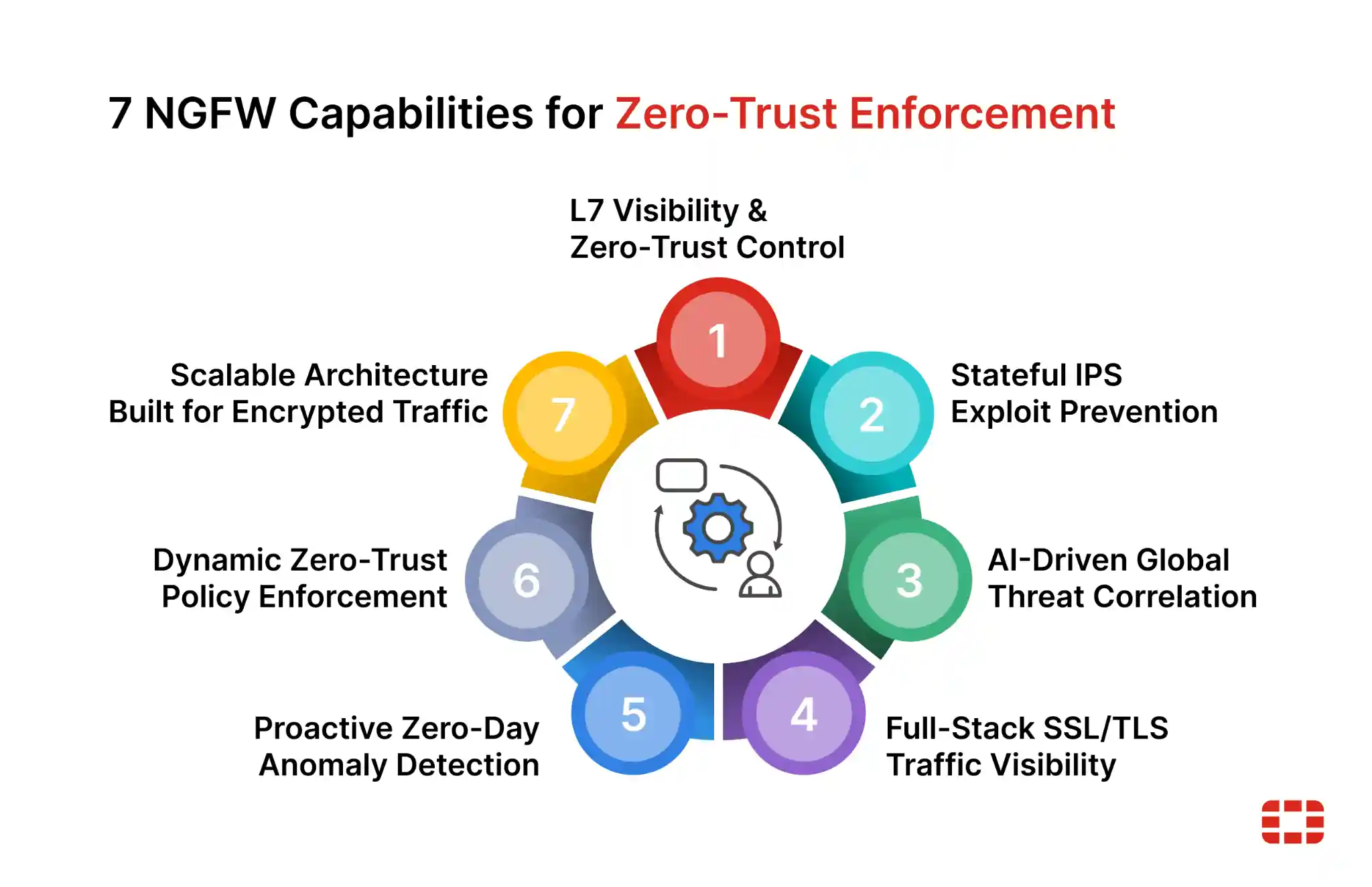
Fortinet identifies application awareness, intrusion prevention and deep packet inspection as core NGFW capabilities. Its guidance also distinguishes NGFWs from dedicated controls such as patch management, data loss prevention and secure web gateways. Those controls remain necessary within a layered security architecture.
Additional visibility does not make security automatic. Policies still need to reflect business requirements, exceptions must be controlled and alerts need to be reviewed by people with clear operational responsibility.
What FortiGate Adds Beyond Basic Firewalling
Application visibility and intrusion prevention
FortiGate can use application, user and content information when applying network policies. This gives IT teams more useful context than a port number alone and can help distinguish between business-critical applications, unapproved services and traffic that does not match its expected purpose.
Integrated intrusion prevention can inspect permitted traffic for activity associated with network-based exploits. The available inspection and threat-protection capabilities depend on the selected FortiGate model, FortiGuard subscription and policy configuration. Their operational value also depends on whether alerts are reviewed, investigated and acted upon.
Intrusion prevention should support vulnerability remediation and patch management rather than replace them. A firewall may provide an additional control around a vulnerable system, but it does not remove the underlying vulnerability.
Encrypted-traffic inspection
Encryption protects legitimate business communications, but it can also conceal malicious traffic. FortiGate can support SSL/TLS inspection so selected encrypted sessions can be assessed against security policy. Fortinet includes encrypted-traffic inspection among the capabilities associated with modern NGFW platforms.
This requires deliberate planning. The organisation must decide which traffic should be inspected, which applications or categories should be excluded, how certificates will be distributed and what privacy, contractual or regulatory requirements apply.
Inspection also requires processing capacity. A firewall that appears suitable on the basis of internet bandwidth alone may become a bottleneck once SSL/TLS inspection, intrusion prevention, application control, VPN traffic and detailed logging are enabled.
Secure SD-WAN for distributed locations
FortiGate running FortiOS can bring firewalling and SD-WAN into the same architecture. This allows application routing, link selection and security policy to be considered together rather than managed as separate branch projects. Fortinet’s modernisation guidance explicitly positions current FortiGate environments around the unification of firewall, SD-WAN and ZTNA.
This can be useful for organisations managing several UAE or GCC locations, but there is no universal regional design. Carrier services, connection quality, cloud dependencies, backup options and acceptable downtime vary between sites.
Before designing the branch architecture, the organisation should establish:
- Which applications are critical at that location
- What primary and backup connections are available
- Which traffic needs inspection
- How application traffic should be prioritised
- What level of disruption the location can tolerate
- How link and application failover will be tested
- Who will monitor performance after deployment
LITC’s guide to SD-WAN solutions for UAE businesses discusses application-aware routing, cloud connectivity and multi-site network management in greater detail.
Zero Trust Network Access
Traditional VPN access may give a user visibility of more of the internal network than a specific task requires. ZTNA takes a more contextual approach by limiting access to particular applications or resources based on identity, device posture and policy.
That can support employees, contractors and third parties, but ZTNA still depends on accurate identity, device, application and access mapping. Broad VPN permissions should not simply be reproduced under a different technical model.
LITC’s article on Zero Trust security in the UAE explains the wider principles of explicit verification, least-privilege access and assuming breach.
Centralised Management Across Locations
As organisations add branches and cloud environments, local firewall changes can create inconsistent policies. Temporary exceptions remain in place, emergency changes are not reviewed and each location can gradually develop a different version of the organisation’s security standard.
FortiManager is positioned as a central management layer for network and security administration across Fortinet environments. Fortinet also connects FortiManager and FortiAnalyzer with deployment automation, consistent policy enforcement, threat analysis and response across on-premises, cloud and hybrid environments.
FortiAnalyzer serves a related but different role, supporting telemetry, logging, analytics and security-operations workflows. Neither product should be treated as automatically included in a FortiGate purchase. Licensing, capacity, architecture and operational ownership need to be evaluated separately.
Centralised management should not mean forcing every site into one configuration. The objective is to maintain common policies, documented exceptions and clearer visibility while allowing legitimate differences between offices, warehouses, customer-facing branches and cloud environments.
How Do You Choose the Right FortiGate?
FortiGate selection should not begin with employee count alone. Two businesses with the same number of employees can have very different application traffic, encrypted sessions, VPN demand, branch connectivity and logging requirements.
| Decision factor | What to establish |
| Traffic and applications | Real traffic flows, cloud dependencies and application priorities |
| Inspection | IPS, application control, SSL/TLS inspection and logging requirements |
| Connectivity | Internet, WAN, backup links, VPN and SD-WAN requirements |
| Availability | High availability, failover and recovery expectations |
| Deployment | Physical appliance, virtual machine or cloud deployment |
| Management | Internal administration, FortiManager, FortiAnalyzer or managed-service requirements |
| Growth | New branches, users, cloud workloads and bandwidth changes |
| Lifecycle | FortiOS compatibility, support status, replacement planning and upgrade path |
A professional-services office may rely heavily on SaaS applications and remote access. A similarly sized retailer, hospitality group or logistics business may have payment systems, guest networks, operational technology or higher inter-site traffic. Model selection needs to reflect those differences.
The 50G Series as a model-family example
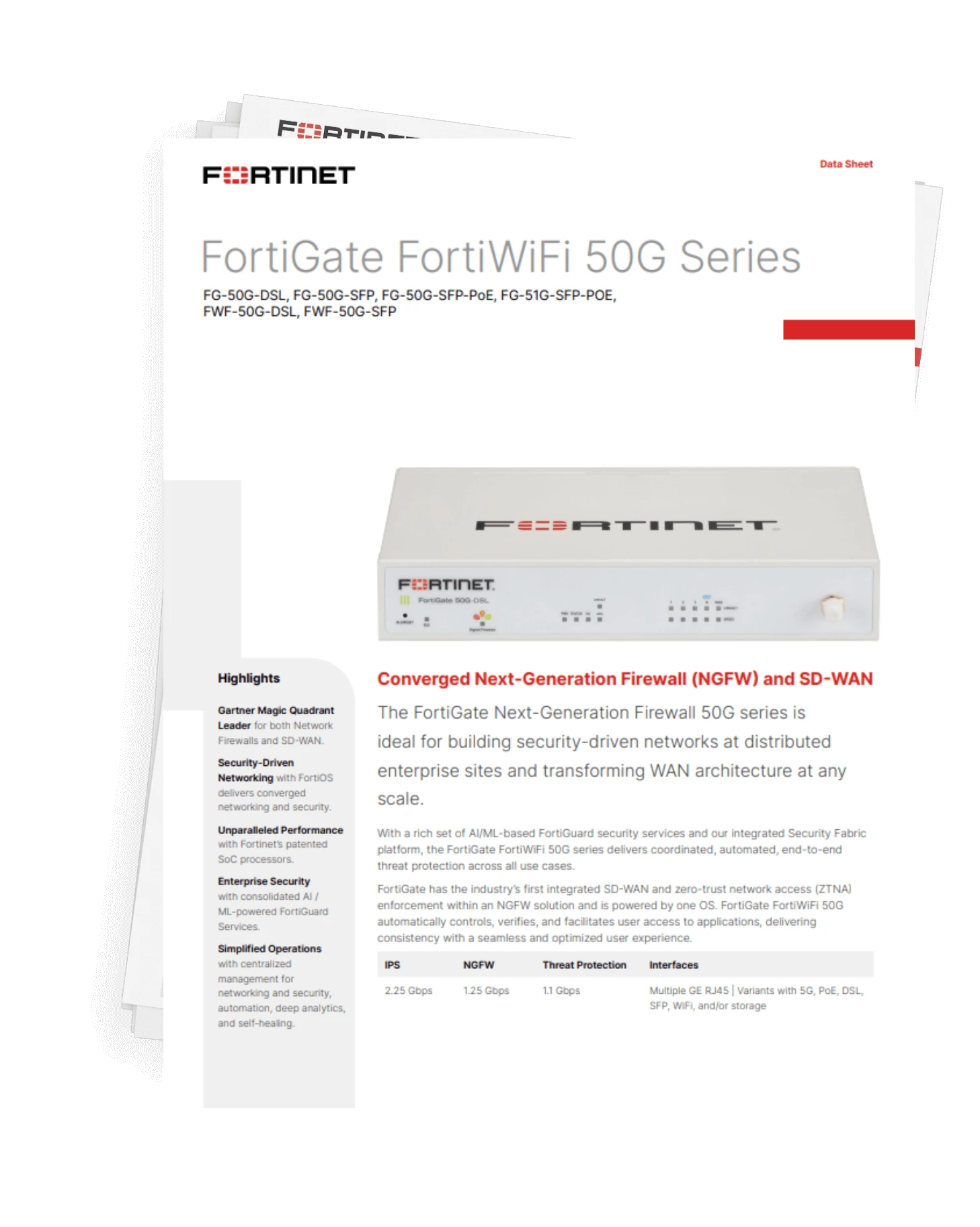
The FortiGate and FortiWiFi 50G Series illustrates how one model family can contain several variants. Fortinet positions this series for distributed enterprise sites and converged NGFW and SD-WAN use cases.
The 50G Series should not be treated as the standard recommendation for every organisation. Its interfaces, capacities, hardware options and performance figures apply only to the specified models and documented test conditions. Final selection should follow an assessment of connectivity, traffic, inspection, availability and subscription requirements.
FortiGate Is One Part of Cybersecurity
A next-generation firewall is an important network-security control, but it is not a complete cybersecurity programme. It must operate alongside identity and access management, endpoint and email security, vulnerability management, data protection, backup, recovery, monitoring and incident response.
Fortinet’s own NGFW guidance makes a similar distinction. It states that NGFWs complement rather than completely replace areas such as patch management, data loss prevention and secure web gateways.
FortiGate is also not a shortcut to compliance. Segmentation, controlled access, traffic inspection and logging may support compliance readiness, but governance, evidence, retention, ownership and the applicable legal or regulatory requirements still need to be defined.
Someone must maintain policies, review alerts, apply updates, control exceptions and coordinate incidents. Where those responsibilities cannot be sustained internally, the organisation should consider an appropriate managed-service model. LITC’s managed IT services guide for UAE businesses places firewall management, monitoring and vulnerability remediation within a broader managed IT and security approach.
Moving From a Legacy Firewall
A firewall migration should not be treated as a direct transfer from old hardware to new hardware. Mature environments often contain unused rules, duplicate objects, temporary exceptions and permissions linked to suppliers or systems that are no longer present.
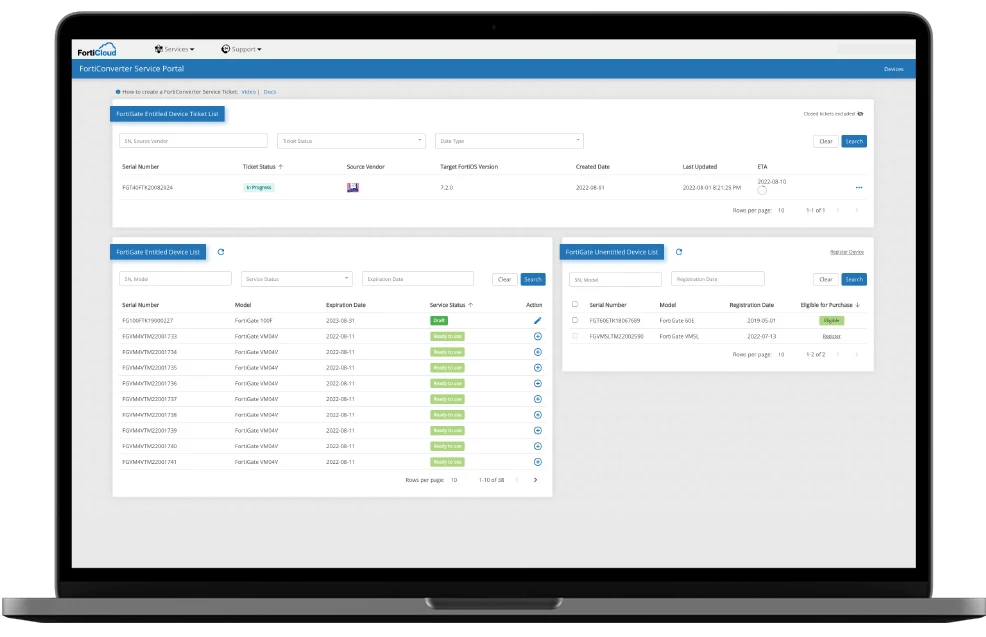
FortiConverter can support migration from legacy and third-party firewall platforms to FortiGate. Fortinet’s current upgrade guidance describes FortiConverter as a way to identify and convert existing configurations to FortiOS. That automation can reduce manual conversion work, but it does not remove the need for policy review, validation or controlled testing.
A controlled migration should include:
- An inventory of rules, objects, VPNs and certificates
- Removal of unused, duplicate or overly broad policies
- Review of supplier and third-party access
- Confirmation of inspection, logging and retention requirements
- Conversion and technical validation
- Application, VPN and failover testing
- A documented cutover and rollback plan
- Post-migration monitoring and rule review
The Live in the Cloud ME View
Live in the Cloud ME positions FortiGate as part of a wider secure-networking and cybersecurity architecture. The first question should not be, “Which FortiGate should we buy?” It should be, “What does the business need to connect, protect and monitor, and what operating model can it realistically maintain?”
LITC can help organisations:
- Review the existing firewall and network environment
- Identify application, policy and visibility gaps
- Assess branches, cloud services and remote access
- Review Secure SD-WAN and ZTNA requirements
- Define inspection, logging and retention policies
- Evaluate physical, virtual and cloud deployment options
- Review FortiGuard, FortiManager and FortiAnalyzer requirements
- Clean and migrate existing policies
- Test applications, VPNs, failover and rollback
- Define monitoring and escalation responsibilities
- Manage and optimise the environment over time
The final recommendation may include FortiGate, but it should reflect the organisation’s users, applications, locations, traffic, risks and growth plans. This keeps the decision focused on resilience and operational fit rather than turning it into a hardware purchase.
For a shorter introduction to the platform, see LITC’s article on FortiGate office network security.
Is FortiGate the Right Fit for Your Network?
FortiGate Next-Generation Firewalls can help deliver more unified security across users, applications, and locations. Effectiveness depends on proper sizing, licensing, configuration, and ongoing management.
Live in the Cloud ME can assess your current firewall environment, identify security gaps, and determine whether FortiGate is the right fit for your organisation.