
BenQ MA Series Monitors for Mac
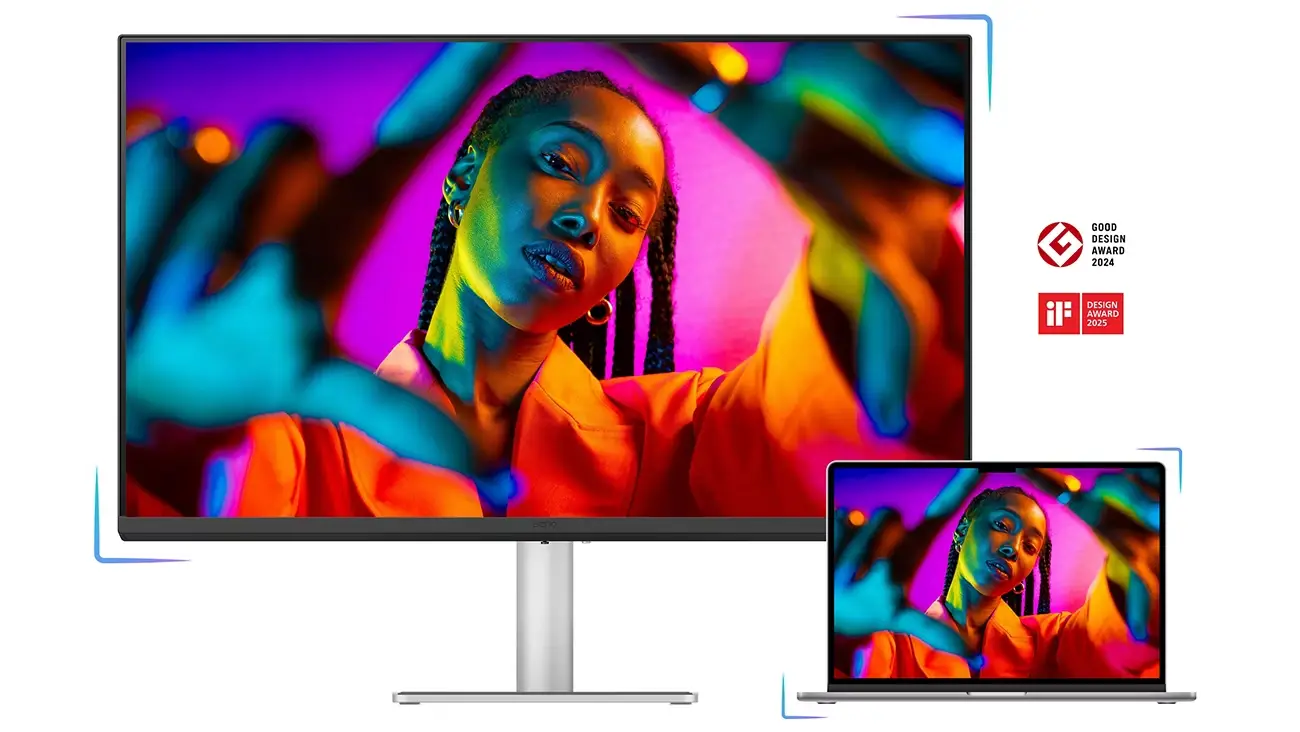
BenQ MA Series monitors are external displays designed for MacBook and wider Apple desktop environments, with models covering 27-inch and 32-inch formats, 4K and 5K resolutions, Nano Matte and Nano Gloss panel options, P3 wide colour support, USB-C or Thunderbolt connectivity, and software-assisted control through Display Pilot 2. The range includes everyday MacBook displays such as MA270U and MA320U, Nano Gloss variants such as MA270UP and MA320UP, and newer flagship models including MA270S and MA320UG.
For organisations standardising on MacBook Pro, MacBook Air, Mac mini, or Mac Studio, the relevance is practical rather than cosmetic. The source material positions the MA Series around colour consistency with MacBook screens, single-cable connectivity, integrated brightness and volume control, device charging, daisy-chaining on flagship models, Smart KVM for mixed-system setups, and ergonomic adjustability. For Live in the Cloud ME clients, this makes the range worth considering where workspace quality, creator productivity, hybrid desk setups, and procurement consistency matter.
Product Overview
The BenQ MA Series is positioned as a family of monitors for MacBook users and Mac creators. The vendor material highlights Mac colour tuning, P3 wide colour gamut support, one-cable USB-C or Thunderbolt connectivity, Display Pilot 2 software, integrated MacBook keyboard controls for brightness and volume, and a built-in power hub for charging and connecting devices. The broader MA Series includes 27-inch and 32-inch 4K models with Nano Matte or Nano Gloss panels, while the 2026 flagship announcement introduces MA270S, a 27-inch 5K Nano Gloss model, and MA320UG, a 32-inch 4K Nano Gloss model with a 120Hz refresh rate.
Which Monitor is Right for Your Business?
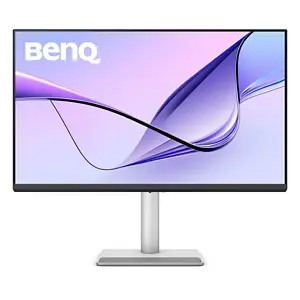
4K UHD Monitor for MacBook Pro and MacBook Air.
MA270U | MA320U
Available in 27" & 32"
• Expand your MacBook’s view with consistent Mac colours through just one cable.
• Sync brightness and volume between your MacBook and monitor effortlessly
• Features 2 USB-C ports with 90W and 15W charging for your devices.
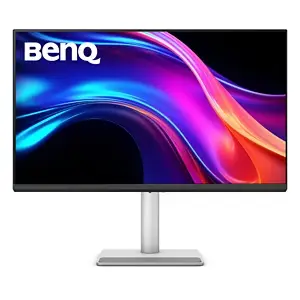
4K Glossy Monitor for MacBook Pro and MacBook Air.
MA270UP | MA320UP
Available in 27" & 32"
• Expand your MacBook’s view with consistent Mac colours and a vibrant Glossy panel, through just one USB-C cable
• Sync brightness and volume between your MacBook and monitor effortlessly
• Features 2 USB-C ports with 90W and 15W charging for your devices

5K Nano Gloss Monitor with Thunderbolt 4 for Mac Creators.
MA270S
Available in 27"
• 5K 218 PPI clarity that matches your MacBook’s sharp, Retina-level detail
• With two Thunderbolt 4 ports, you get display, data, and 96W/15W charging all in one streamlined setup
• Expand your Mac devices’ view with consistent Mac colours and a vibrant Nano Gloss panel
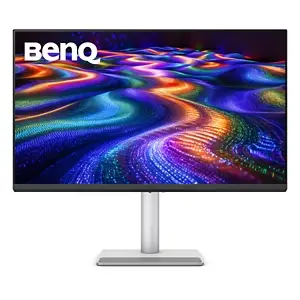
4K 120Hz Nano Gloss Monitor for Mac Creators
MA320UG
Available in 32"
• Edit in 4K at 120Hz for smoother motion and more immediate response
• With two Thunderbolt 4 ports, you get display, data, and 96W/15W charging all in one streamlined setup
• Expand your Mac devices’ view with consistent Mac colours and a vibrant Nano Gloss panel
Key Features
- Mac-focused colour experience: the range is described as being tuned for Mac, with Mac Color-Tuning Technology or Mac-specific colour tuning and P3 wide colour gamut support across the MA Series family.
- Multiple display options: available models include 27-inch and 32-inch 4K monitors, Nano Matte and Nano Gloss panel variants, a 27-inch 5K MA270S, and a 32-inch 4K MA320UG with 120Hz refresh rate.
- Single-cable workstation connectivity: MA Series monitors use USB-C or Thunderbolt connectivity to extend a MacBook display while supporting charging and desk connectivity from fewer cables.
- Power delivery for connected devices: source material lists 90W plus 15W USB-C power delivery for the 4K MA Series models and Thunderbolt 4 connectivity with 96W plus 15W on the MA270S and MA320UG flagships.
- Display Pilot 2 support: BenQ Display Pilot 2 is described as providing Mac-like simplified settings, automatic colour sync, workspace management, and easier control across connected systems.
- Integrated MacBook controls: the MA Series supports synchronised brightness and volume adjustments from MacBook keyboard controls, reducing the need to adjust the monitor separately.
- Creator-focused flagship specifications: MA270S offers 5K resolution at 5120 x 2880, 218 ppi, 99% P3 coverage, and 2000:1 contrast ratio, while MA320UG combines 4K resolution, 120Hz refresh rate, 98% P3 coverage, and 2000:1 contrast ratio.
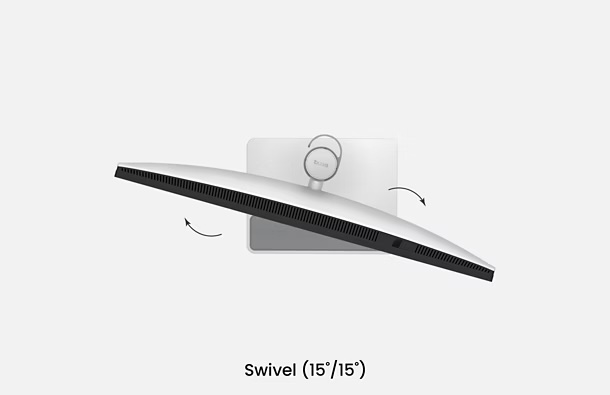
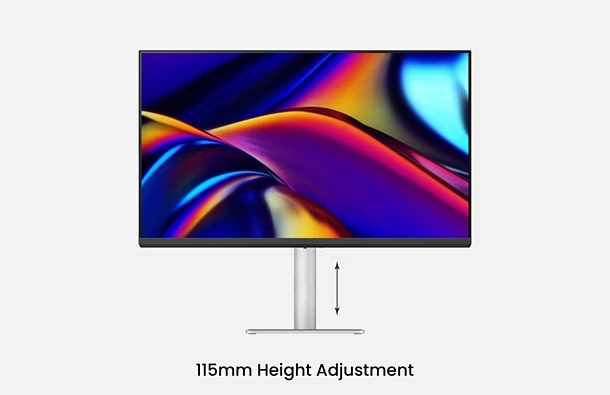
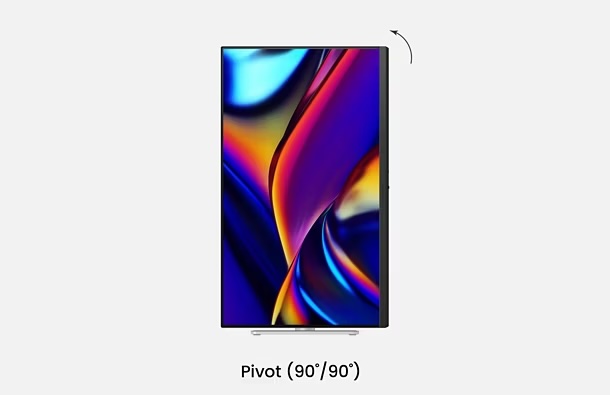
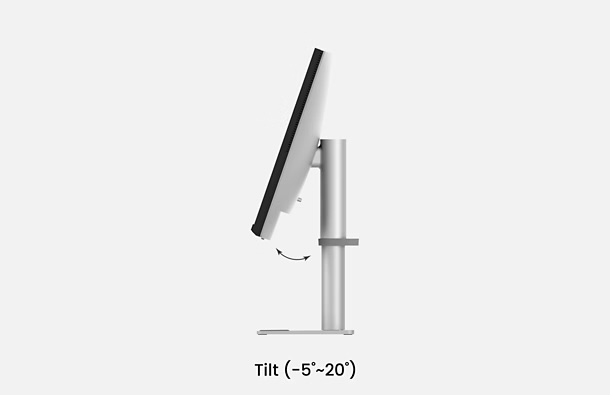
- Ergonomic adjustment: vendor material highlights adjustable stands, including height, tilt, swivel, and pivot on MA Series models, with the new flagships specified with 150mm adjustable stands.
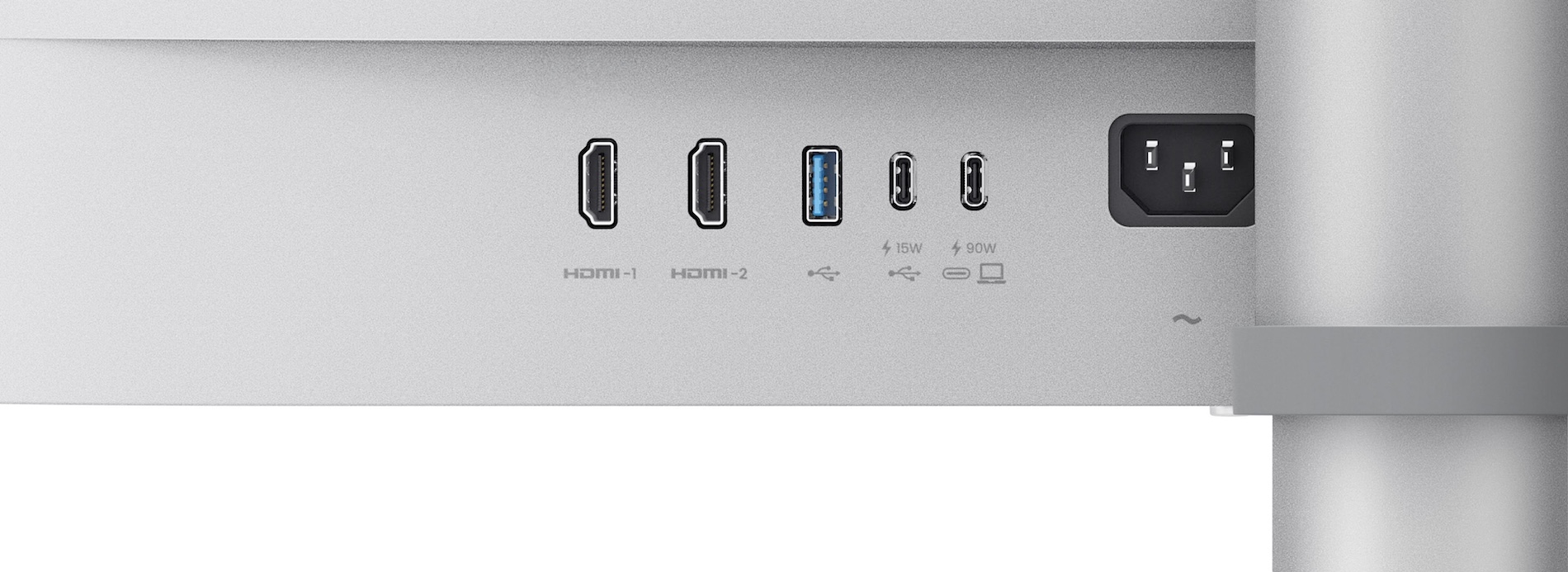
2 HDMI
Multi Device Connection
2 USB-C
Built-in 90W and 15W USB-C
Nano Gloss Panel
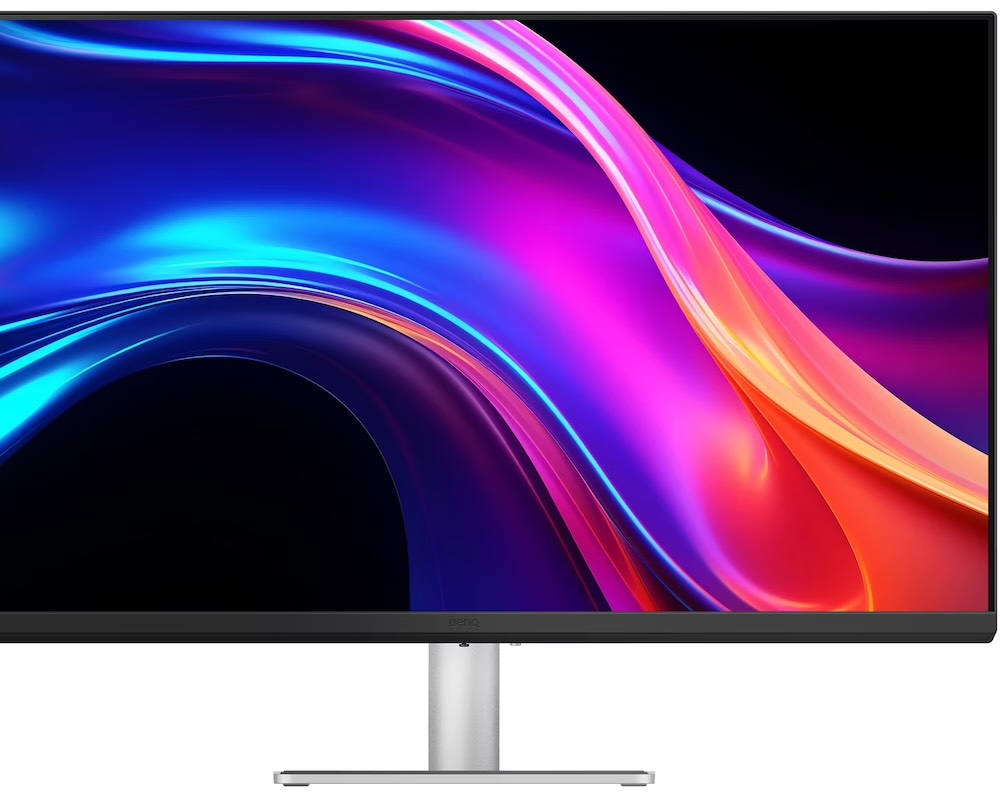
Mac Colours, in Full Clarity
Love the way your Mac looks? You’ll see it here, all in stunning detail. The Nano Gloss surface brings crystal-clear depth, true blacks, and brilliant highlights, revealing every nuance with natural contrast. Even from the side, colours stay accurate and lifelike, so every angle feels unmistakably Mac.
Ideal Use Cases
The MA Series is best suited to Mac-first environments where external displays need to feel consistent with the laptop or desktop experience. The strongest fit is for teams that want better screen space, more comfortable desk setups, and simpler connectivity without turning the monitor conversation into a generic display procurement exercise.
- MacBook-based office workstations that need 27-inch or 32-inch external displays with USB-C connectivity and charging.
- Creative and design users who need P3 colour support and a monitor experience aligned with MacBook visual behaviour.
- Video, multimedia, or motion-focused creators evaluating the MA320UG for 4K resolution with 120Hz refresh rate.
- High-detail editing workflows where a 27-inch 5K display such as MA270S may be useful for pixel-level clarity.
- Hybrid desk setups using MacBook Pro, Mac mini, or Mac Studio where Smart KVM and Thunderbolt daisy-chaining on flagship models can simplify system switching.
- Premium workstation bundles that combine MA Series displays with ScreenBar lighting and BenQ ERGO monitor arms for a more comfortable desk environment.
Why It Matters
Many organisations treat monitors as commodity accessories, but the supplied material makes a clear case for considering user experience, cable management, visual consistency, and ergonomics together. In MacBook environments, colour mismatch between the built-in display and an external monitor can affect day-to-day confidence, especially for creative and content teams. BenQ addresses this through Mac tuning, P3 colour coverage, Nano Matte and Nano Gloss choices, and Display Pilot 2 controls.
The workspace angle is also important. The BenQ Ergo Workstation material combines MA Series Mac monitors, ScreenBar monitor lights, and ERGO monitor arms as a desk ecosystem focused on comfort, reduced clutter, and better working posture. While these elements should still be evaluated against each customer’s space, budget, compatibility needs, and procurement standards, they are relevant to organisations refreshing Mac-based workstations or creating premium desks for design, executive, creative, and hybrid teams.
LITC ME View
Live in the Cloud ME would position the BenQ MA Series as a specialised monitor family for Mac-first users rather than as a general-purpose display purchase. The strongest evaluation criteria should be Mac compatibility, colour behaviour, desk connectivity, charging requirements, panel preference, resolution, refresh rate, and the user’s work profile. For standard office users, the 27-inch or 32-inch 4K models may be sufficient. For creators working with fine detail, the MA270S 5K model deserves closer review. For video and motion-based workflows, the MA320UG’s 4K 120Hz specification is the notable differentiator. LITC ME would also recommend validating device compatibility, required ports, desk mounting needs, and end-user workflow before standardising across a team.
Conclusion
The BenQ MA Series is a focused monitor family for MacBook and Mac desktop users who want external displays that align more closely with the Apple visual and workflow experience. Its value sits in the combination of Mac-tuned colour behaviour, P3 wide colour support, USB-C or Thunderbolt connectivity, charging, Display Pilot 2 software, integrated controls, and ergonomic adjustability. For UAE organisations reviewing Mac-based workstations, the MA Series should be assessed alongside the wider desk setup, user role, panel preference, device mix, and long-term support requirements.